
In this post I’ll describe how I solved a web enumeration CTF challenge. I used several basic scanning and web-application analysis techniques to ultimately retrieve the flag.
1. Basic server reconnaissance
I started with a simple inspection of the HTTP headers using curl:
curl -IL 94.237.63.90:59417This allowed me to check basic server information and any redirects. Nothing noteworthy stood out at this stage.
2. Directory enumeration — Gobuster
Next, I ran directory enumeration with Gobuster to discover accessible paths on the host.
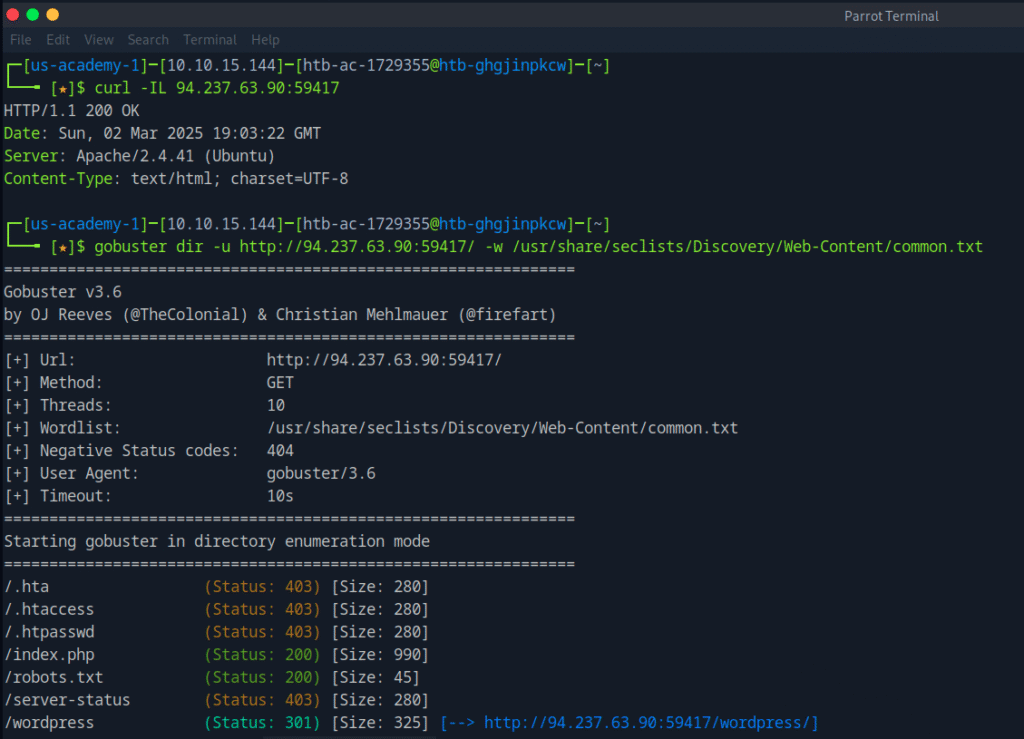
The scan revealed an interesting path:
/wordpress (Status: 301)
This suggested the server was running WordPress or a similar CMS.
3. Checking robots.txt
I then checked robots.txt, which often contains hints about site structure or hidden areas:
http://94.237.63.90:59417/robots.txt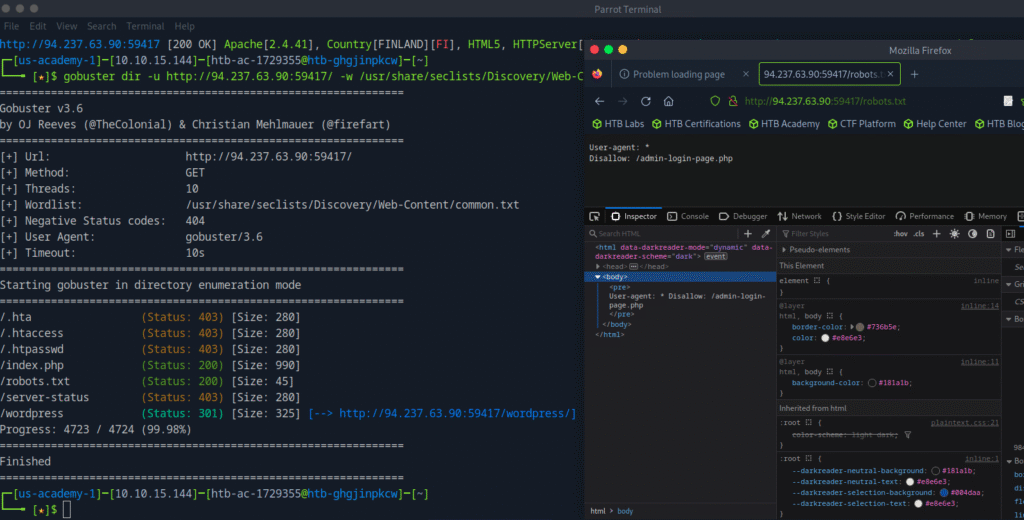
That immediately caught my attention — it pointed to a hidden admin login page.
4. Finding credentials in the page source
I opened http://94.237.63.90:59417/admin-login-page.php and inspected the HTML source in the browser developer tools. I found login credentials embedded in the page source.
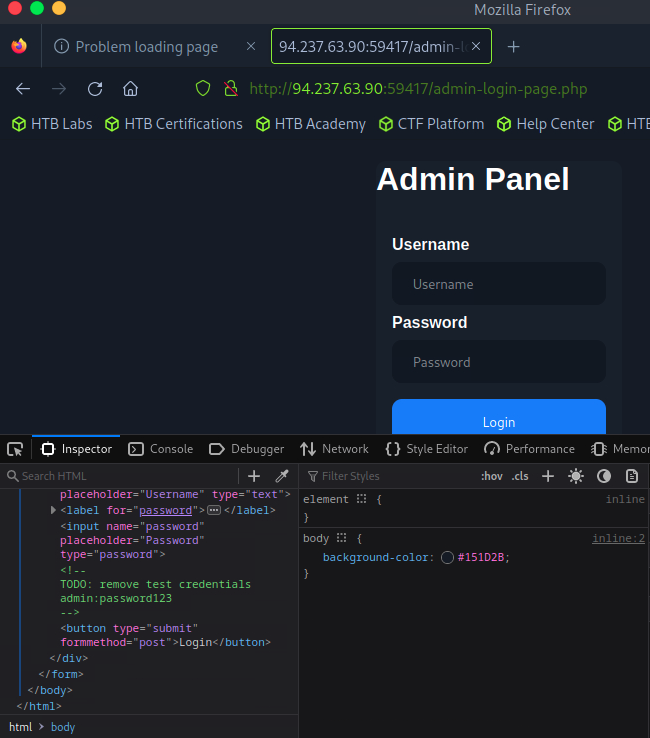
Using those credentials, I logged into the administrative panel.
5. Retrieving the flag
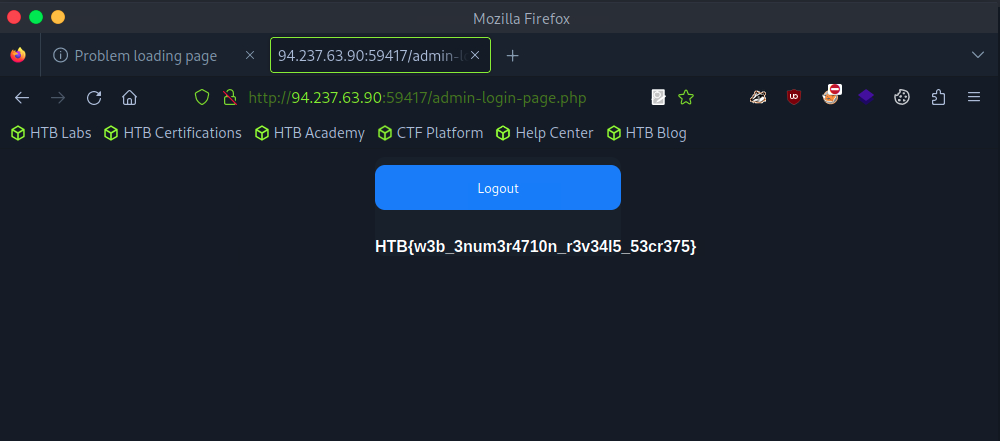
Inside the admin panel I located the CTF flag and completed the challenge successfully.
Summary / Takeaway
This challenge highlights the importance of properly configuring web applications and not exposing sensitive information in client-side code or public files (like robots.txt). Proper hardening and secure handling of credentials are essential — both for real applications and when preparing CTF challenges. See you in the next CTF! 🚀